Shafeen Alam
Turning broadcast alerts into a state-driven operational system
Admins running a live incident couldn't answer the one question that mattered: who needs help right now. I led the transformation of Envoy's Emergency Messaging from a one-way broadcast tool into a state-driven coordination platform, cutting incident resolution time 20-30% and lifting response visibility 40-60%.
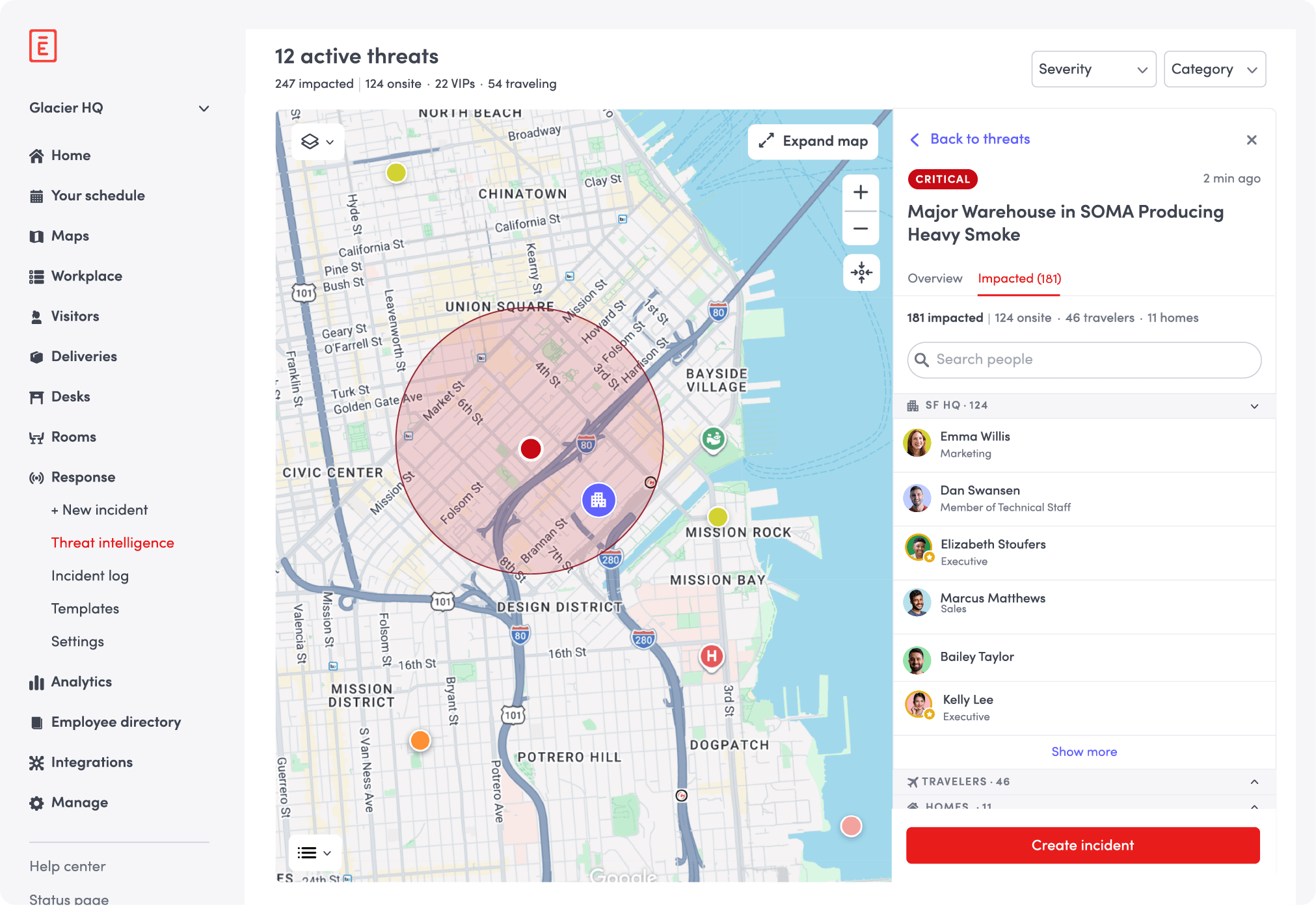
In an emergency, not knowing who still needs help is the gap that matters most.
60-second read
Admins could send an emergency alert but could not see who had responded or who still needed help.
Model the incident as explicit state so web and mobile always read the same situation.
Led the change from one-way broadcast to a coordination platform across web and mobile, then signal ingestion.
Resolution time down 20 to 30%. Response visibility up 40 to 60%.
01 · Shipped
Not a redesign of screens, a redesign of the operating model. Live in production across Web and Mobile for enterprise, multi-location accounts.
02 · The problem
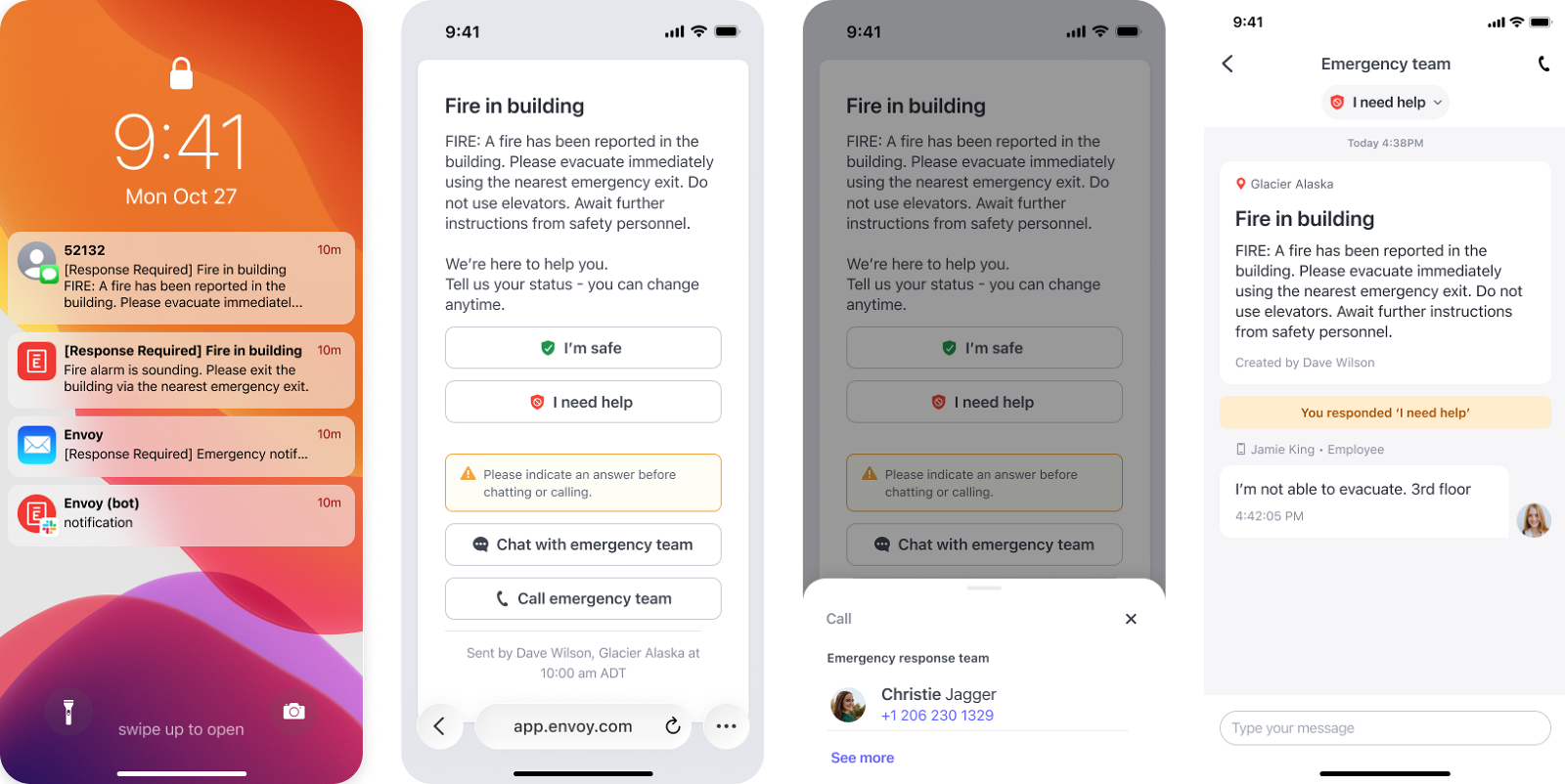
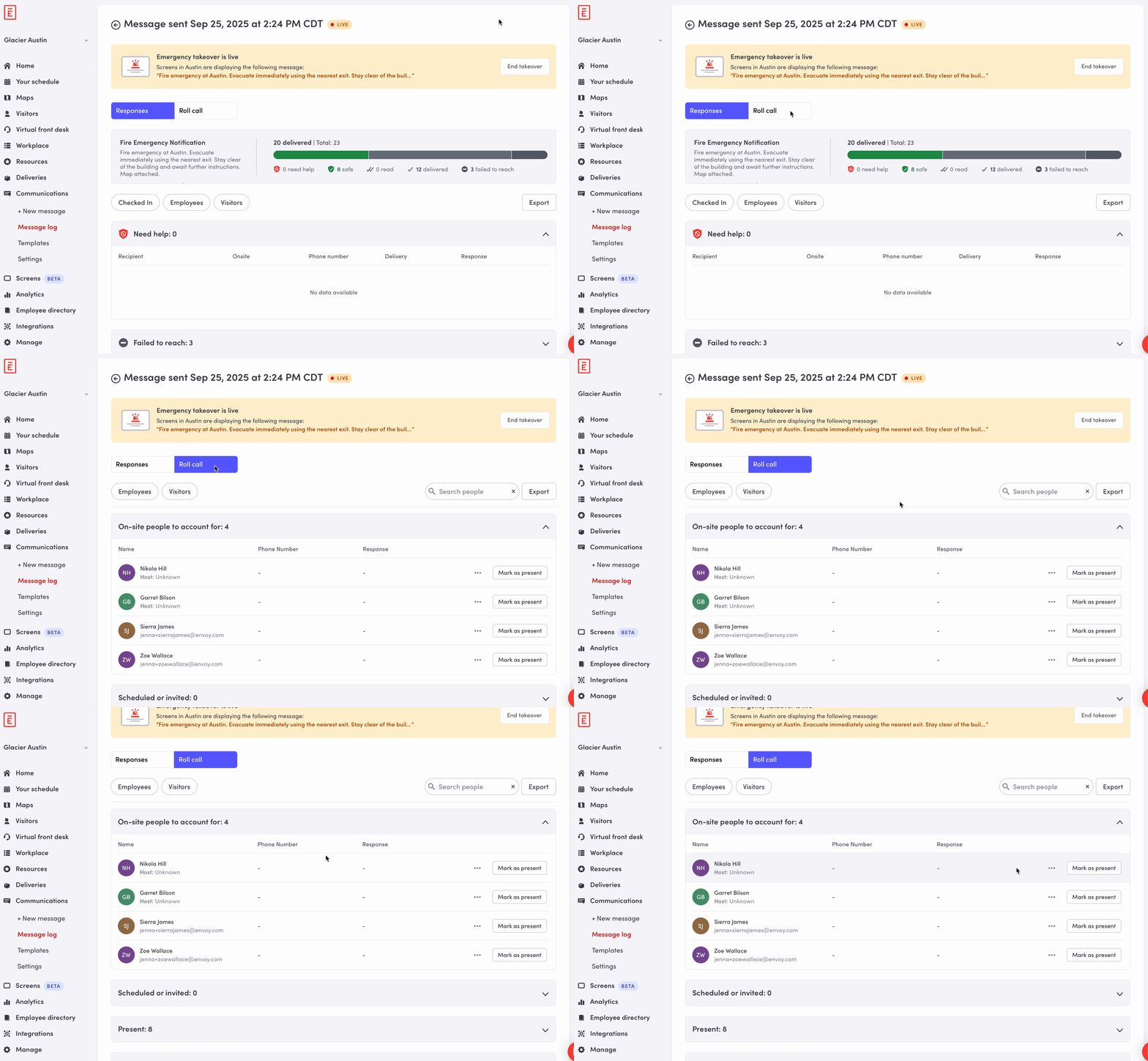
Emergency Messaging could send. It could not coordinate. An admin fired an alert into the dark and then worked the phones, with no view of who had responded, who hadn't, or who had answered and still needed help. Across multi-location enterprise accounts, that gap widened with every office added.
“I sent it. I have no idea who's okay.”
“Leadership wants a status. I'm reading a spreadsheet.”
Not a niche problem
03 · What failed
First pass
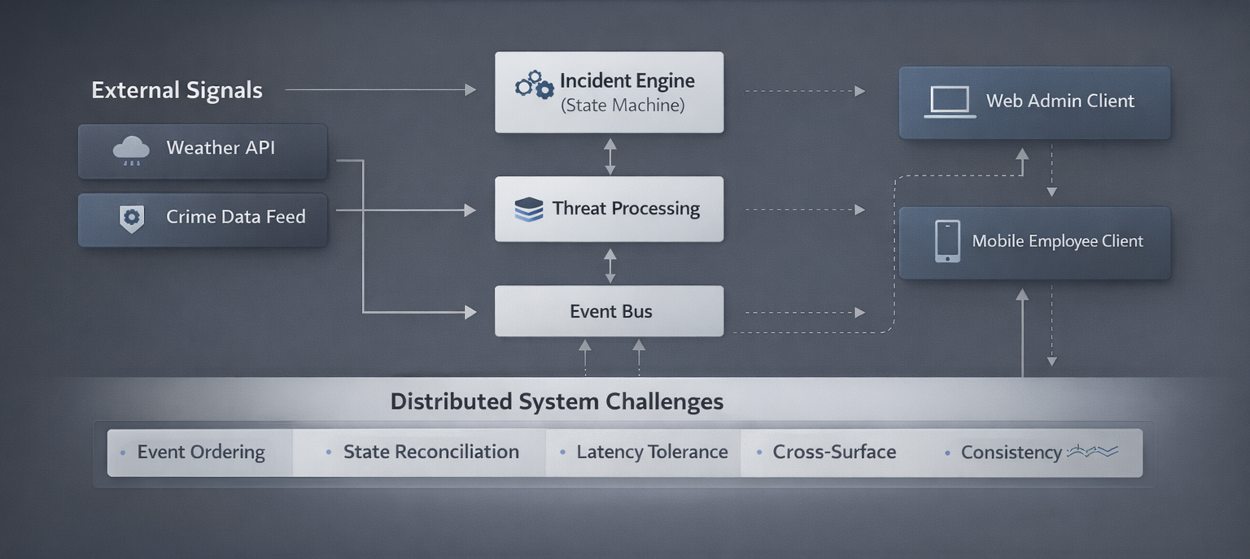
Without explicit state modeling, Web and Mobile could disagree about the same incident: an admin's dashboard and an employee's phone showing different states from ordinary network latency. In a live emergency that isn't a cosmetic bug. It's the system lying to someone.
What replaced it
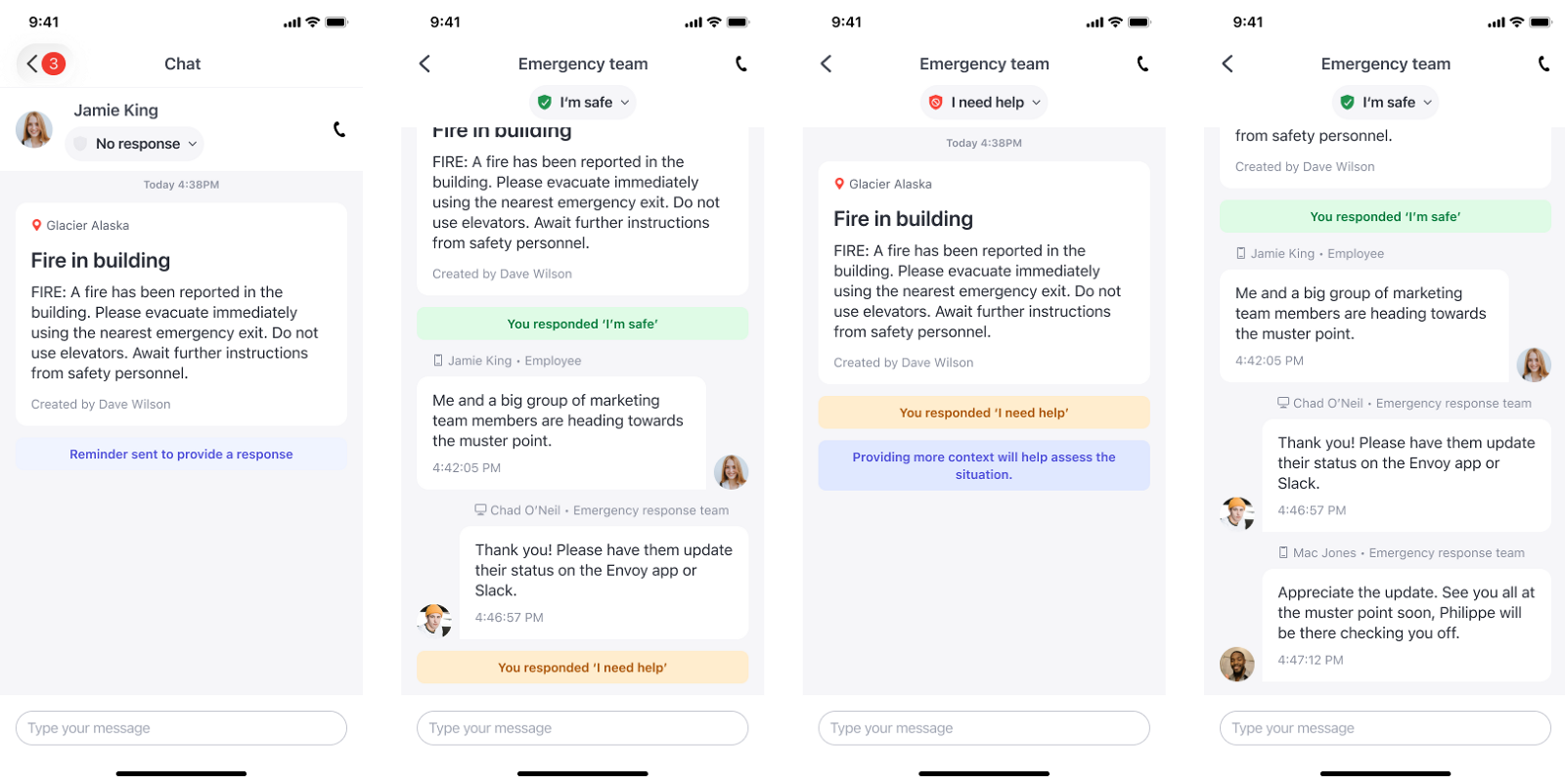
A single deterministic state machine, so every surface reads the same incident the same way, always.
04 · What I cut
A dense, high-information grid showing every incident signal at once. I chose hierarchical aggregation instead: how many affected, how many responded, who needs help, with density on demand. Under real operational pressure, more data on screen isn't more clarity.
05 · Where I overrode the AI
I used AI to generate raw material: realistic emergency scenarios, before/after comparisons, and the edge cases most teams only find in production. It reframed flat requirements as operational scenarios worth arguing with.
What shipped, what got cut, and how the interface read under pressure came from product constraints and operational clarity, not from what the model produced.
The model's framing
The problem as a sequence: more steps, fewer steps. Clean, and wrong.
The actual failure mode
Ambiguous state, not step count. I rebuilt the model around explicit incident states, the thing AI never proposed, because it wasn't in the data I gave it. That shift, not any single screen, fixed cross-surface consistency.
06 · Platform evolution
Shipped in three phases, each one earning the next. The endpoint was never a better alert. It was a system that sees a threat before an admin has to.
Basic alert plus yes/no response tracking. One-way, and blind to who actually needed help.
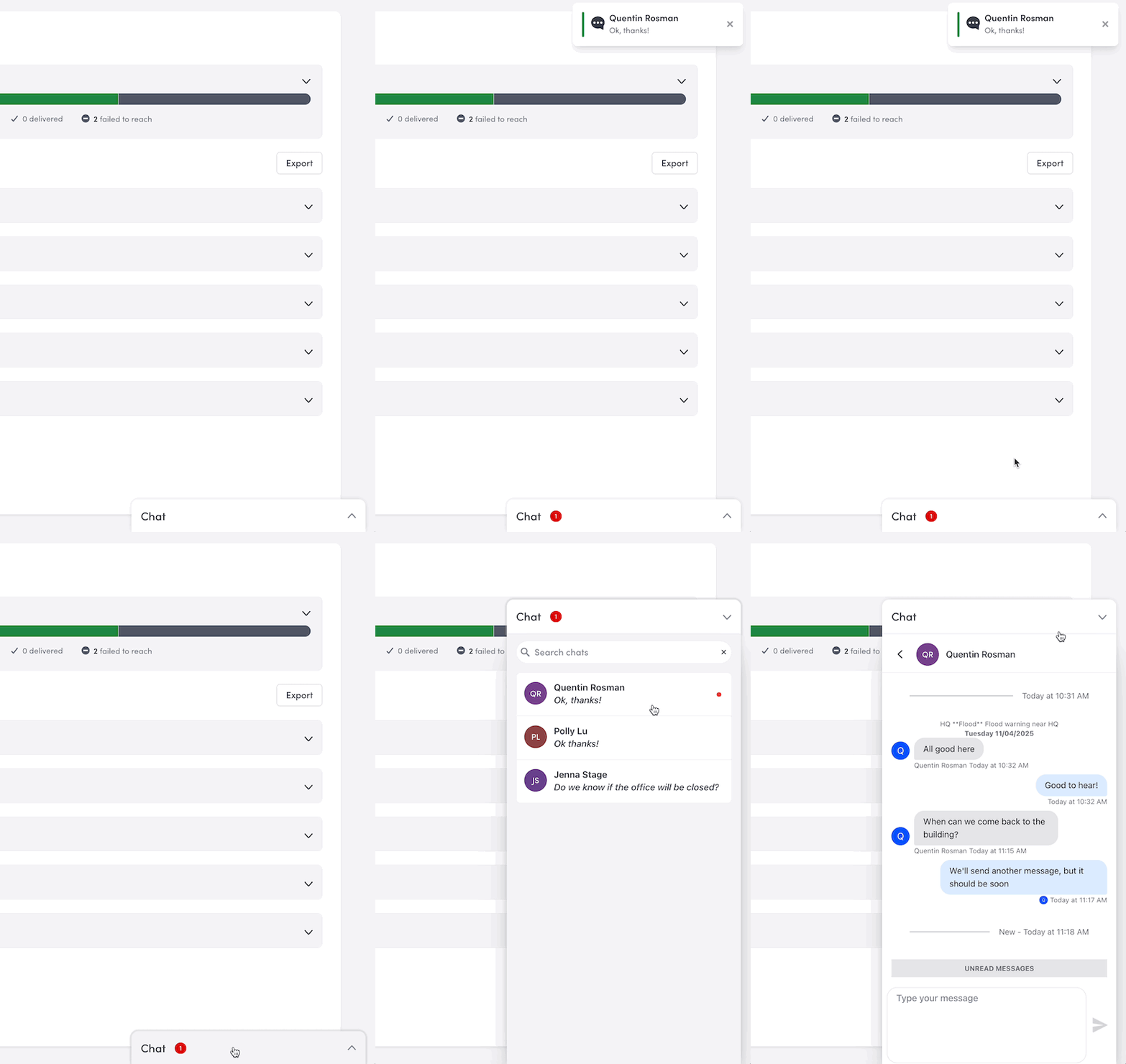
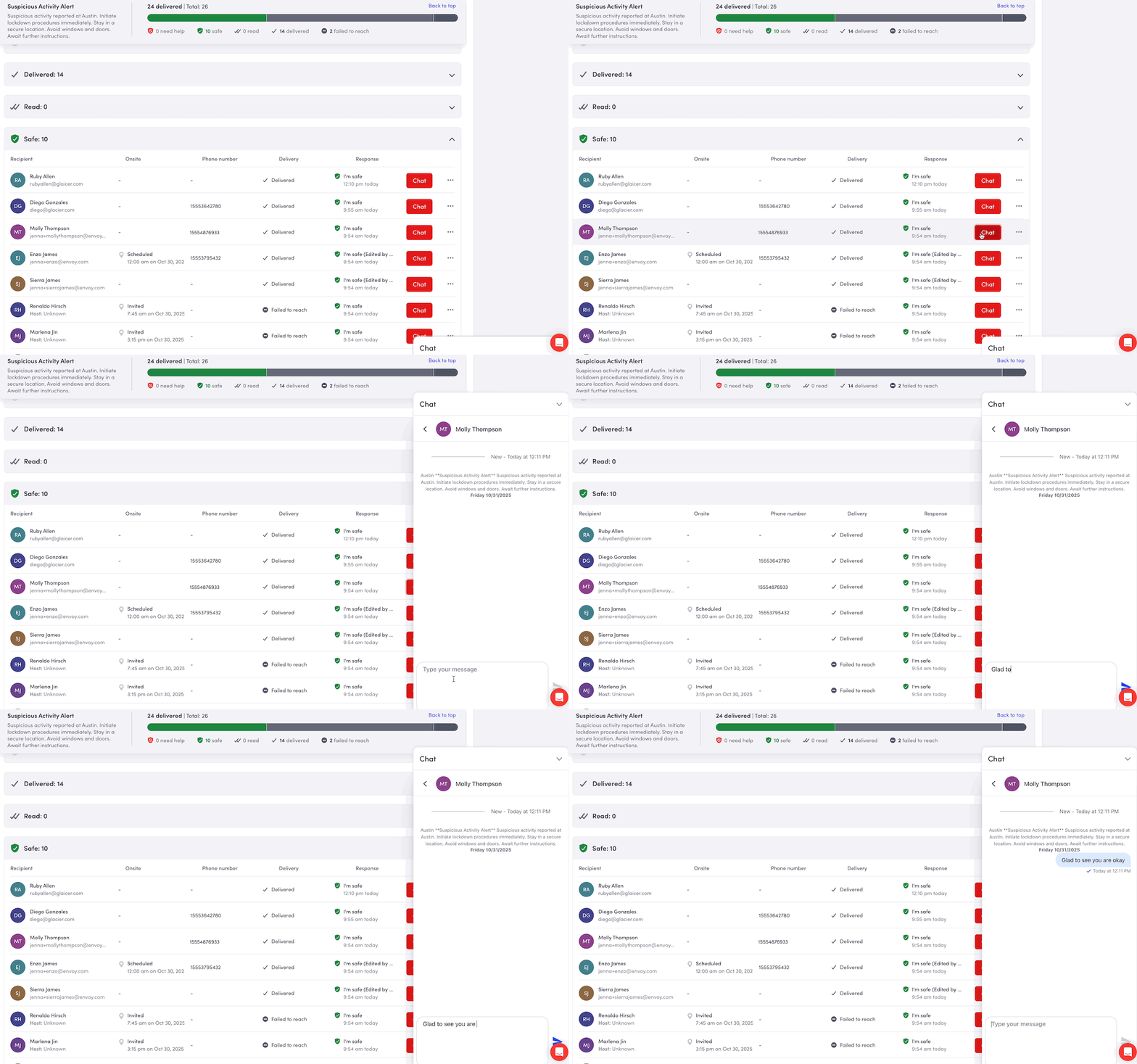
Explicit lifecycle modeling and two-way communication, so an admin could act on a non-response.
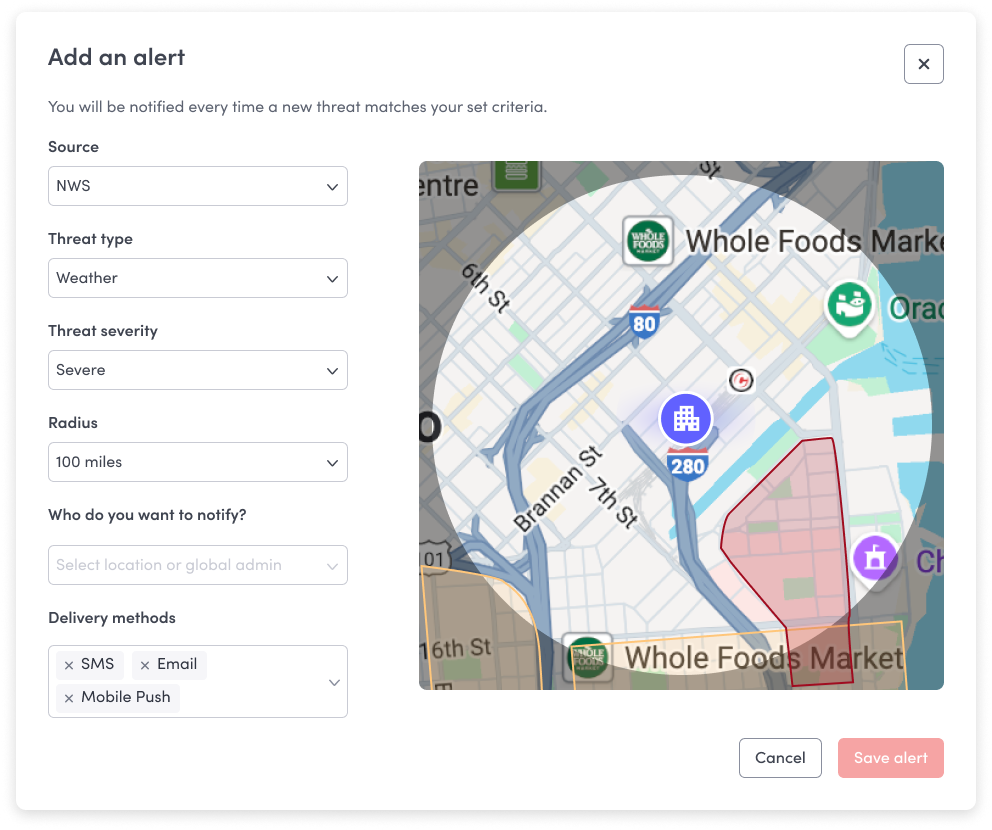
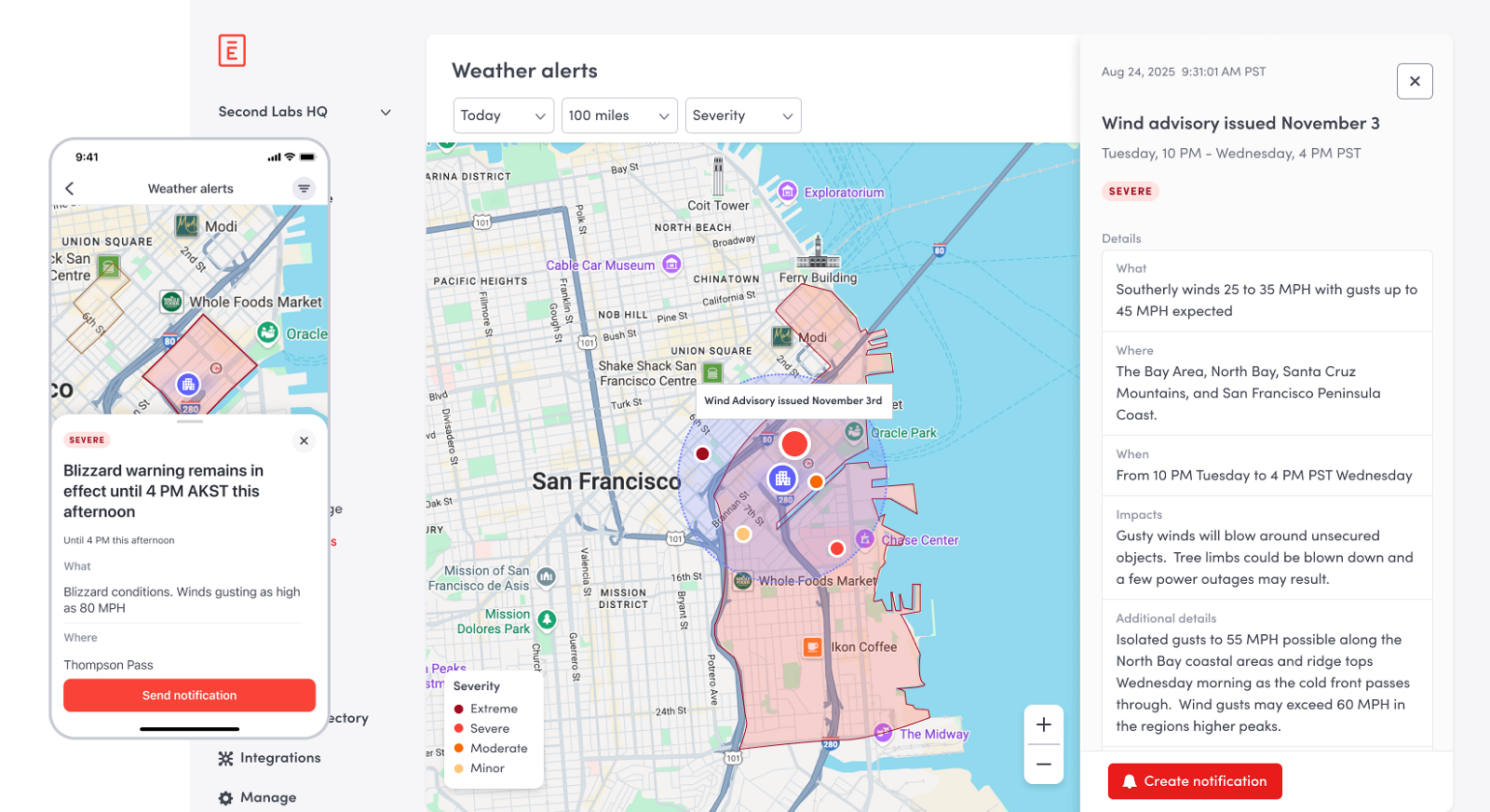
Location-aware signal ingestion (weather and environmental risk), surfacing incidents before anyone reports one.
07 · In use
08 · Response
Measured across enterprise, multi-location accounts after rollout.
09 · Where the framework went
The three-phase model wasn't a slide. It became the shape of the roadmap, and eventually the shape of a product line.
Emergency notifications launch inside the Envoy Workplace Platform: SMS, push, and email, drawing on real-time workplace data so a message reaches whoever is actually onsite that day.
Six updates land together: Control Center check-in filtering, two-way chat with a designated local response team, interactive emergency roll call, custom preset responses for safe / need help, attachments, and kiosk takeovers.
Envoy Response launches as a named product line: threat intelligence and incident management, with a global threat dashboard across sites. Threat detection & response is now a top-level product in Envoy's platform nav.
The shipped product, 2026
Envoy's own framing today: “Emergency response that doesn't stop at the alert.” Three questions drive the product: who's at risk, have they been notified, are they safe. That is the state model, stated as a value proposition.
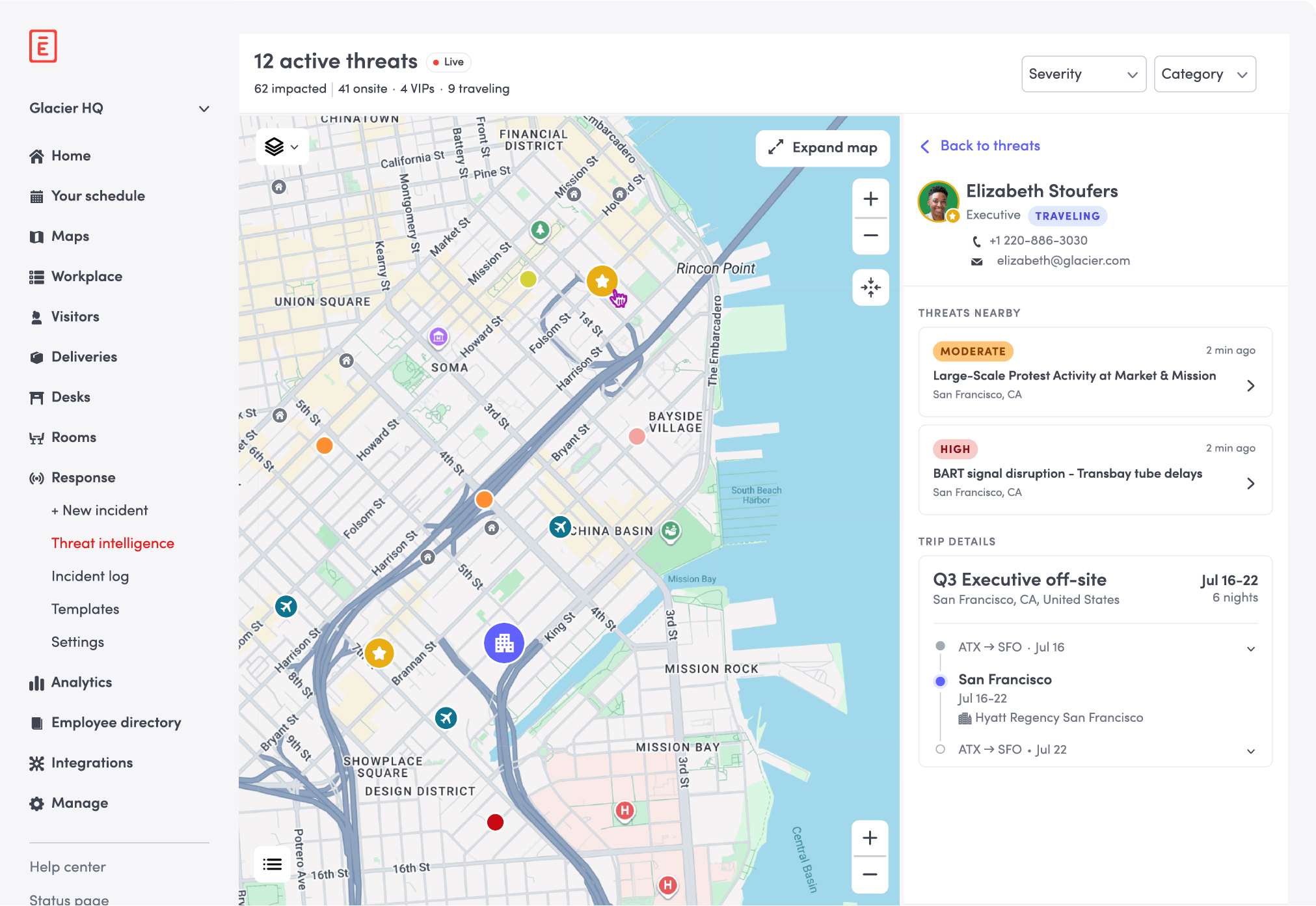
The line Envoy leads with now, “many systems alert everyone on a list; Envoy shows you who's actually impacted”, is the state-modeling argument from Phase 1, sold as the differentiator.
“Envoy helps us quickly understand what's happening, communicate with confidence, and make sure the right people receive the right information before a situation escalates.”
Senior Director of Security, Minnesota Twins
I designed the framework and the Phase 1 and 2 surfaces. What I'd point to is not that I shipped every one of these. It's that the sequence held. State modeling first, coordination second, signal ingestion third. Each phase was buildable because the one before it had already made the incident an explicit object rather than a message.
10 · Takeaways
In an emergency, ambiguity is the enemy. The system has to agree with itself before it can help anyone else.